Lots of products now come pre-barcoded helping retailers immensely. But for a variety of reasons there are still plenty of products which don’t.
This is where a good labelling solution comes into play to keep your EPoS system accurate.
Using our solution there is no need for any laborious typing of product descriptions, prices etc. All this information is pulled from the database. You just pick the products, the label style and quantity, hit print and you are ready to label. Not only saving lots of time, but totally eliminating any human error.
There is a mind-boggling amount of choices in the world of label printing, but we can narrow it down to the two most useful and reliable types here.
Thermal EPoS Label Printing
Firstly, thermal printing, either direct or transfer. Direct is when the data is burnt directly onto the label. Transfer is via an ink ribbon. Direct is cheaper as you don’t have to buy ribbon but is slower, so normally only for occasional use. Transfer is much quicker so usually for bulk printing.
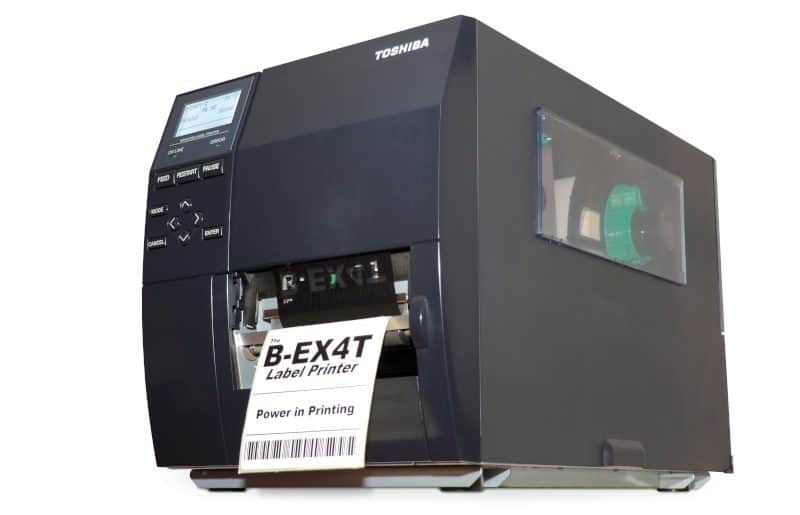
For large volumes we recommend the TEC B-EX4T1 300 DPI. This printer is ideal for large volumes of printing as you can print thousands of labels in a couple of minutes. The labels are clear and accurate, ideal for barcode scanning.
Smaller volumes or occasional use is becoming more popular, especially in farm shops and delicatessens. For this we recommend the Zebra GK420T. Again, we use this because of the clarity of print. The advantage of this printer is that it can print in both direct and transfer modes.
The main label types are sticky backed labels in various sizes, lock ties, dumbbells, and pot-pointer / stick in. The down side with thermal printing is you can only print black on to usually white but yellow also works well.
Laser EPoS Labelling
The final option is laser printing. This is for more colourful labels such as shelf edging, bed cards, colour lock ties or larger sticky backed labels. If you are printing high volumes of labels this option can be expensive, but they do look great. Again, weather proof labels can be used to get a great looking label which isn’t going to fade quickly out in the elements.
If you are interested in mobile printing, head to our post entitled EPoS Mobile Printing with a Zebra QLn220.
If you are not happy with your current labelling solution and EPoS system, give us a call and upgrade to a safer more profitable method with Open Retail Solutions – 0115 9677439.